How To Add Sub - Tasks In Project Management
How To Add Sub - Tasks In Project Management
Step 1: Open the Project and Go To Project Management
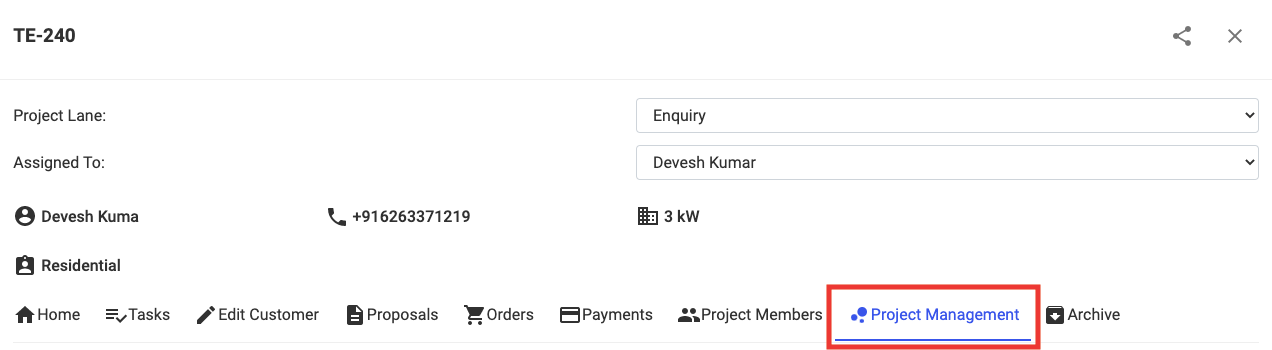
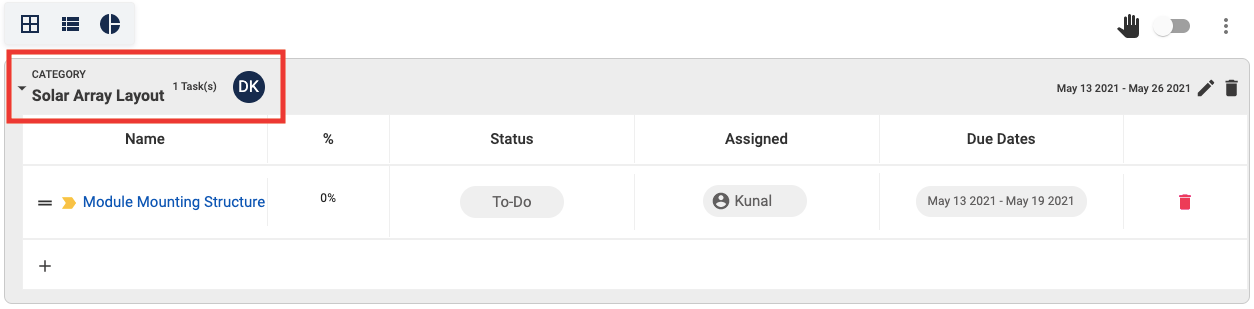
Step 2: Select the Category where the Task you want to create a Sub-Task for is present
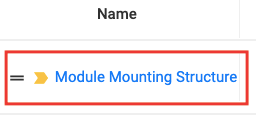
Step 3: Click on the Task you want to create a Sub-Task for
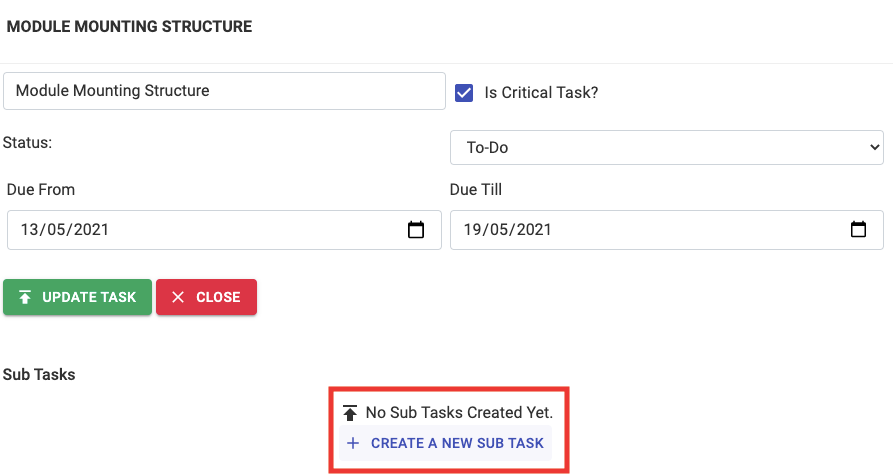
Step 4: Click on + Create A New Sub Task
Step 5: Enter the necessary details

Step 6: Click on + Create Sub Task

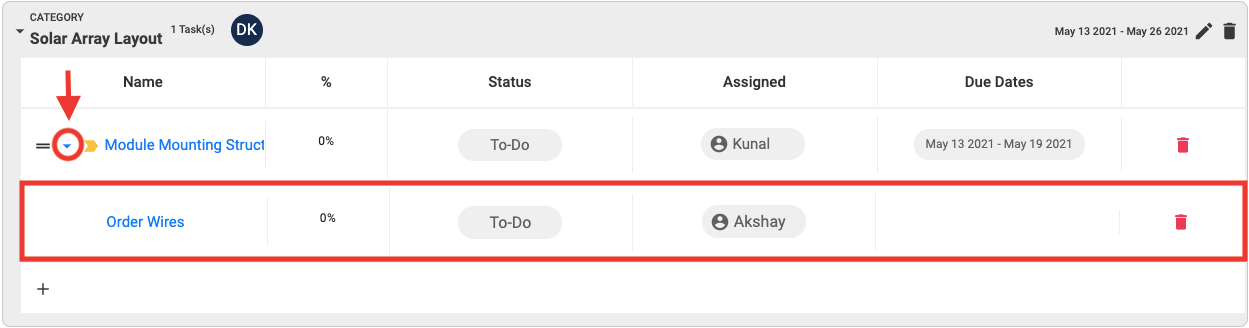
You will now be able to see all the Sub-Task created for any Task by Clicking on the Drop Down Arrow of the main Task
Related Articles
How To Add Tasks In Project Management Categories
How To Add Tasks In Project Management Categories Step 1: Open the Project and Go To Project Management Step 2: Select the Category you want to create a Task in by Clicking on the Drop Down Arrow and Click on + Add A Task Step 3: Enter necessary ...How to Change Order of Categories/Tasks in Project Management
How to Change Order of Categories/Tasks in Project Management Step 1: Open the concerned project Step 2: Go to Project Management Tab Step 3: Click on the "Toggle Button" to allow Drag Step 4: Drag the concerned Category/Task "up or down" to the ...How to Duplicate a Category in Project Management
How to Duplicate a Category in Project Management Step 1: Open the concerned project Step 2: Go to Project Management Tab Step 3: Click on "Duplicate Category Icon" Step 4: Click "Ok" A duplicate category will be created consisting of all tasks and ...How to Save a Project Management Template
How to Save a Project Management Template Step 1: Open the project with the concerned template Step 2: Go to Project Management Tab Step 3: Click on "3 dots" Select "Save Template" Step 4: Select "Save Template" Step 5: Add "Template Name" and Click ...How To Create Dependencies on Project Management Gantt Chart
How To Create Dependencies on Project Management Gantt Chart Step 1: Open Project and Go To Project Management Step 2: Select Gantt Chart Viewing Option Step 3: Open the Category you want to Create a Dependency in Step 4: Press Ctrl (For Windows OS)/ ...