How to End O&M for a Project on Solar Ladder
How to End O&M for a Project on Solar Ladder
Please Note: End O&M only once the work of that visit is complete
Step 1: Click on "View Details" of the project you want to start O&M for

Step 2: Scroll to the bottom of the page
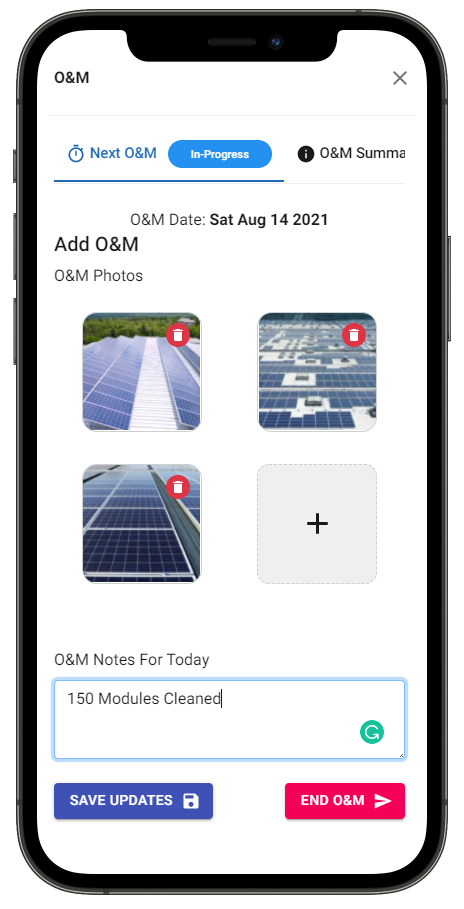
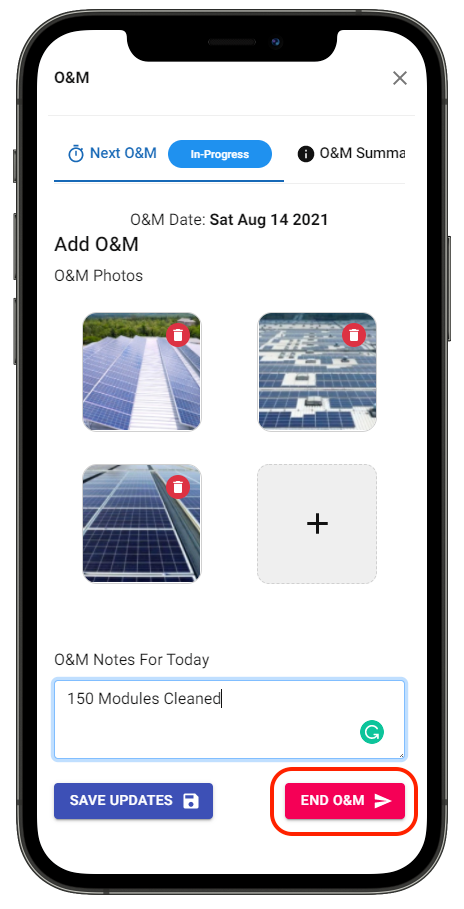
Step 3: Click on "End O&M"
Step 4: Press "OK" to confirm
Related Articles
How to Use Solar Ladder O&M App
How to Use Solar Ladder O&M App Step 1: Open the link: ompartners.solarladder.com Step 2: Enter your Phone Number Step 3: Click on Verify Step 4: Enter the 6-digit Code received Step 5: Press Continue Once you have logged into your account, you can ...How To Start O&M for a Project on Solar Ladder
How To Start an O&M on Solar Ladder Step 1: Click on "View Details" of the project you want to start O&M for Step 2: Click on "Start O&M" Step 3: Click on "+" to add O&M Photos Step 4: Enter O&M Notes Step 5: Click on "Save Updates" to save changes ...How to Check O&M Schedule of a Project
How to Check O&M Schedule of a Project Step 1: Open the link: ompartners.solarladder.com Step 2: Login via OTP by using your Phone Number (Having difficulty Logining In? Click Here) Once you have logged into your account, Step 3: Click on "View ...How to do O&M Scheduling for a Project
How to do O&M Scheduling for a Project Step 1: Open the concerned project Step 2: Go to O&M Tab and Click on > Add Project O&M Step 3: Select "Scheduling O&M" in Schedule Type Step 4: Set Start and End Date Step 5: Click on "Repeating Mode" if the ...How to Add your Team Members on Solar Ladder O&M App
How to Add your Team Members to Solar Ladder O&M App Step 1: Open the link: ompartners.solarladder.com Step 2: Login via OTP by using your Phone Number (Having difficulty Logining In? Click Here) Once you have logged into your account, Step 3: Go to ...