How To Create A Task On Task Dashboard
How To Create A Task on Task Dashboard
Please Note: On Task Dashboard, you can only see the tasks that are either assigned to you by someone else or the tasks that you assigned to yourself.To see tasks that you created for others, please open the respective projects on project dashboard
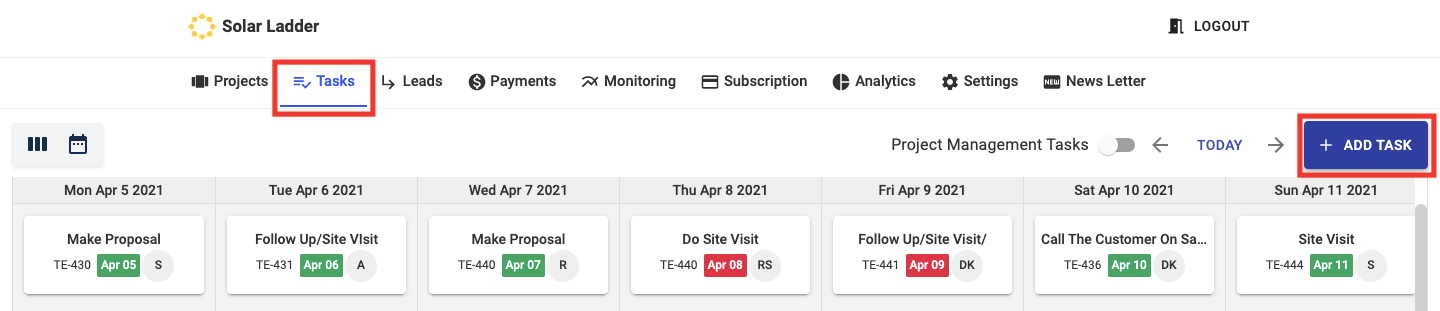
Step 1: Go to Task Dashboard and Click on + Add Task
Step 2: Enter Task Details, Due Date and Assign the Task to either Yourself or Your Team Members
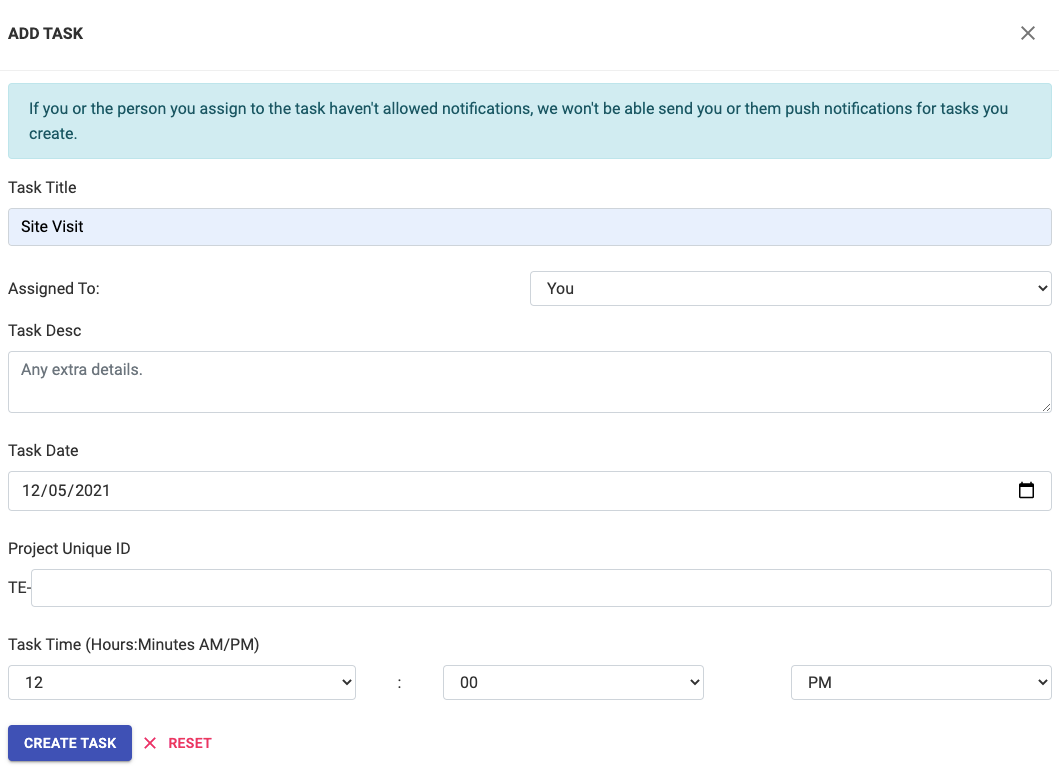
Please Note: To Create General/Generic Tasks i.e Tasks that are not associated with any Project/Customer, leave the "Project ID" Empty. You can then use these tasks to set reminders or create company specific tasks like Visiting the electricity Dept. etc. that have no relation with any projects

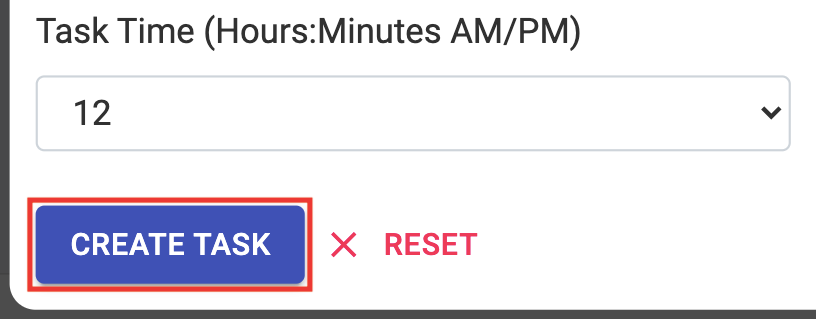
Step 3: Click on Create Task
If you or the person you assign to the task haven't allowed notifications, we won't be able send you or them push notifications for tasks you create
Related Articles
How To Create A Task In A Project
How To Create A Task In A Project Step 1: Go to Projects Dashboard and Open the Project you want to Create a Task for Step 2: Open Tasks and Click on Create A Task Step 3: Enter Task Details, Due Date and Assign the Task to either Yourself or Your ...How to Edit Customer Information
How to Edit Customer Information Step 1: Open the concerned project Step 2: Go to Edit Customer Tab and make desired changes Step 3: Click on Update Project at the bottom of the page to Save the changesHow To Add A New Project
How To Add A New Project Step 1: Go to Project Dashboard and Click on + Add Project Step 2: Enter Customer Details Step 3: Select the "Project Lane" to which you want to add this project to Step 4: Select the Member you want to Assign the Project to ...How To Add A New Project Lane
How To Add A New Project Lane Step 1: Go to Settings and Click on Home Step 2: Scroll Down to your Project Lanes and decide the Position of the New Lane For Eg. Lets say you want to add a Lane called Site Visit 2 between Proposal and Design, since ...Delete/Archive a Project
How to Delete/Archive a Project Step 1: Go to Projects Tab and Open the project you want to delete Step 2: Go to Archive Tab in the project and Click on "Click Here to Archive this Project" Step 3: Click on OK The project will get archived