How To Add A New Project Lane
How To Add A New Project Lane
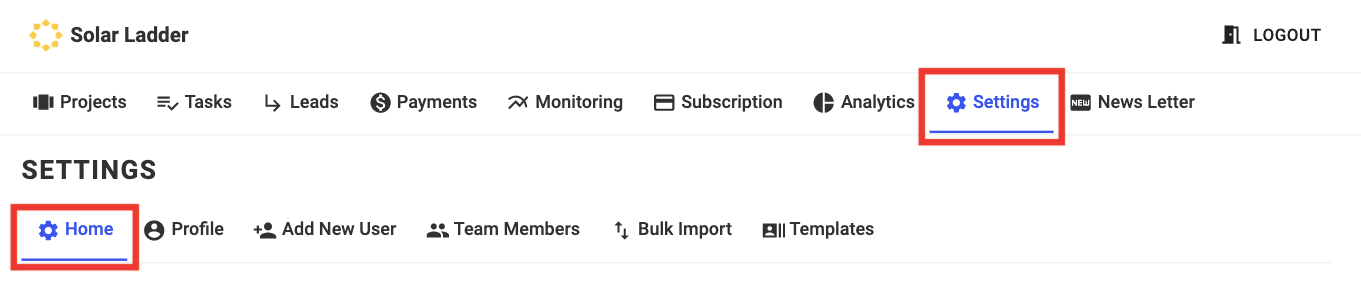
Step 1: Go to Settings and Click on Home
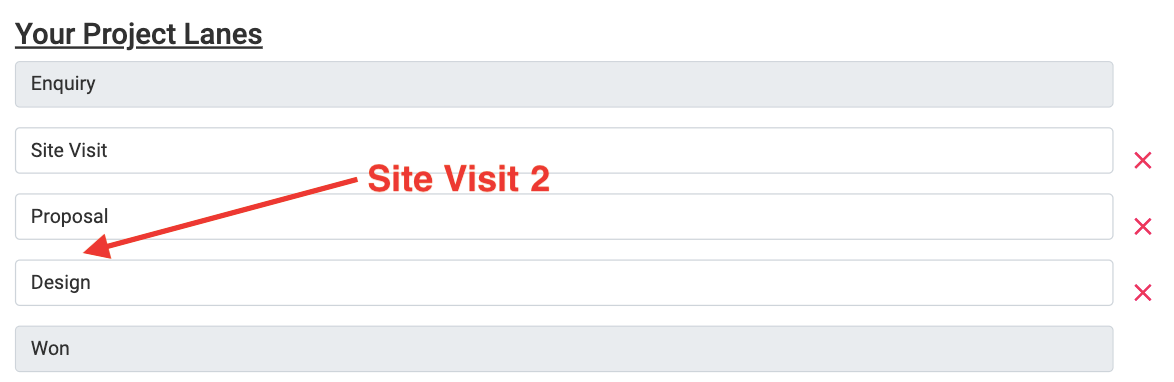
Step 2: Scroll Down to your Project Lanes and decide the Position of the New Lane
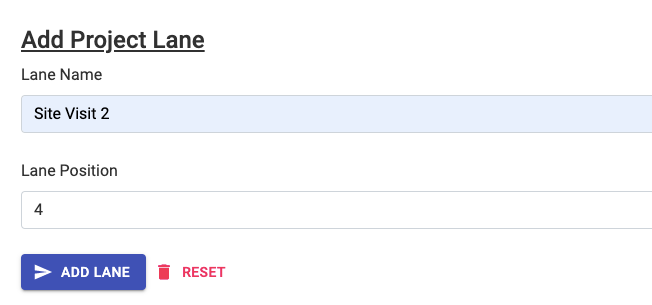
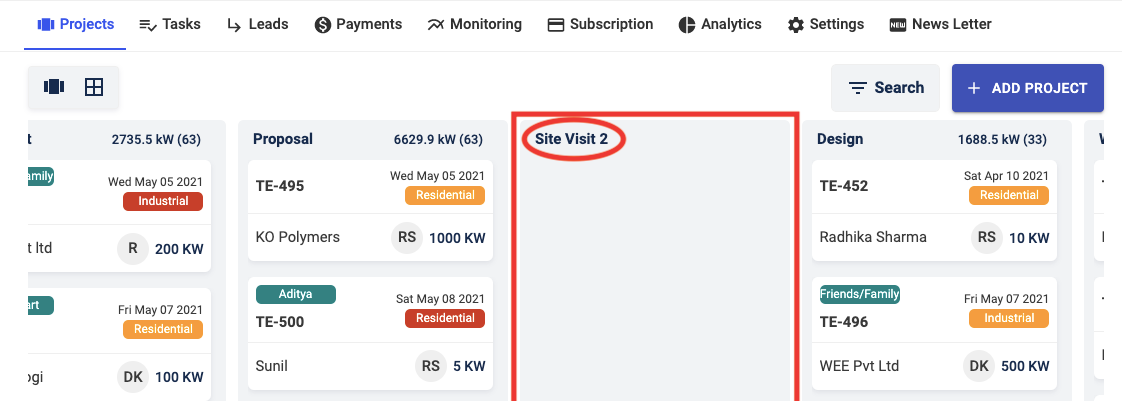
For Eg. Lets say you want to add a Lane called Site Visit 2 between Proposal and Design, since Proposal is Lane No. 3 and we need to add Site Visit 2 after Lane 3, therefore the Lane Position for Site Visit 2 will be 4
Step 3: Scroll Down to Add Project Lane and Enter Details of the New Lane
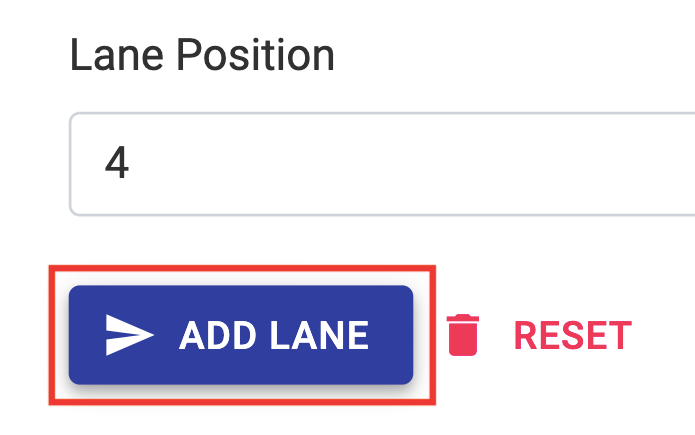
Step 4: Click on Add Lane
A new Lane called Site Visit 2 will be added on your Project Dashboard
Related Articles
How To Add A New Project
How To Add A New Project Step 1: Go to Project Dashboard and Click on + Add Project Step 2: Enter Customer Details Step 3: Select the "Project Lane" to which you want to add this project to Step 4: Select the Member you want to Assign the Project to ...How To Add Project Members In A Project
How To Add Project Members In A Project Step 1: Open the Project you want to add a member to and Go to Project Members Step 2: Select the User you want to add from the list of Team Members Step 3: Click on Give User Access and then Press OK New ...How To Change a Project Lane
How To Change a Project Lane There are Two ways to Change the Lane of a Project Approach 1 Step 1: Open the Project Step 2: Change Project Lane to the Required Lane and Close Project Project will move to the Selected Lane from Old One Approach 2: ...How to Edit Customer Information
How to Edit Customer Information Step 1: Open the concerned project Step 2: Go to Edit Customer Tab and make desired changes Step 3: Click on Update Project at the bottom of the page to Save the changesHow to Change a Lane Name
How To Change a Lane Name Step 1: Go to Settings and Open Home Step 2: Scroll down to "Your Project Lanes" Step 3: Select the Lane for which you want to change the name and Enter New Name Step 4: Click on Update Lane Names