How to Link Email to Solar Ladder
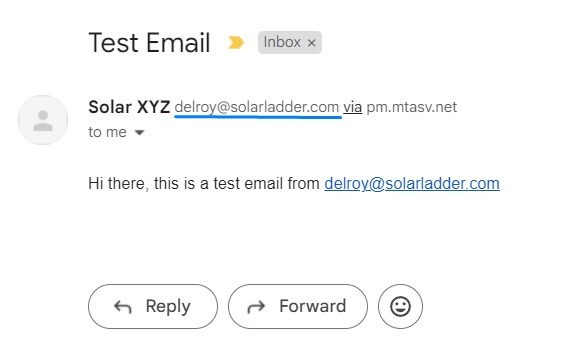
Depending on your use case, you might want any emails sent via Solar Ladder to reflect your email address, see the following for reference:
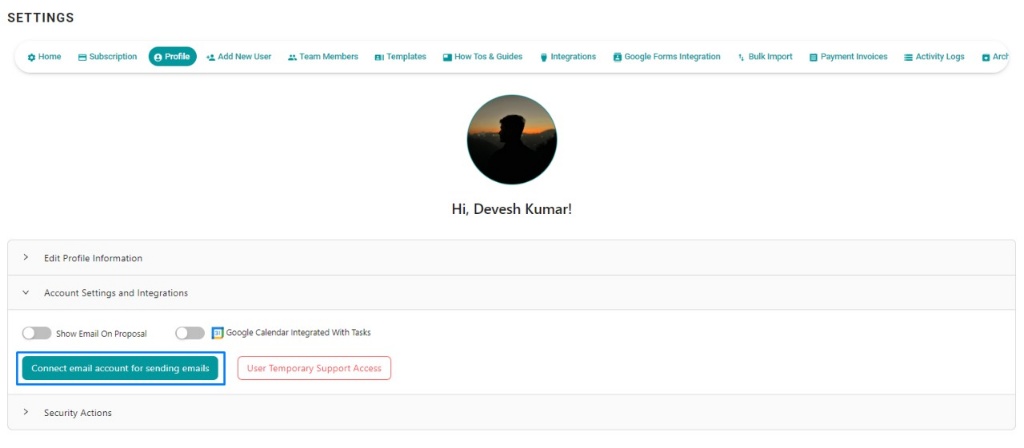
Step 1: Go to Settings -> Profile and click on Connect Email Account for Sending Emails
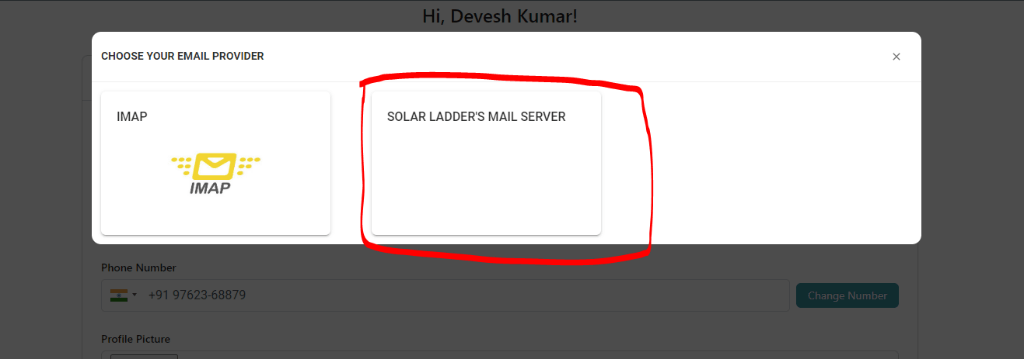
Step 2: Click on Solar Ladder's Mail Servers
Step 3: Enter the email address and reply to email
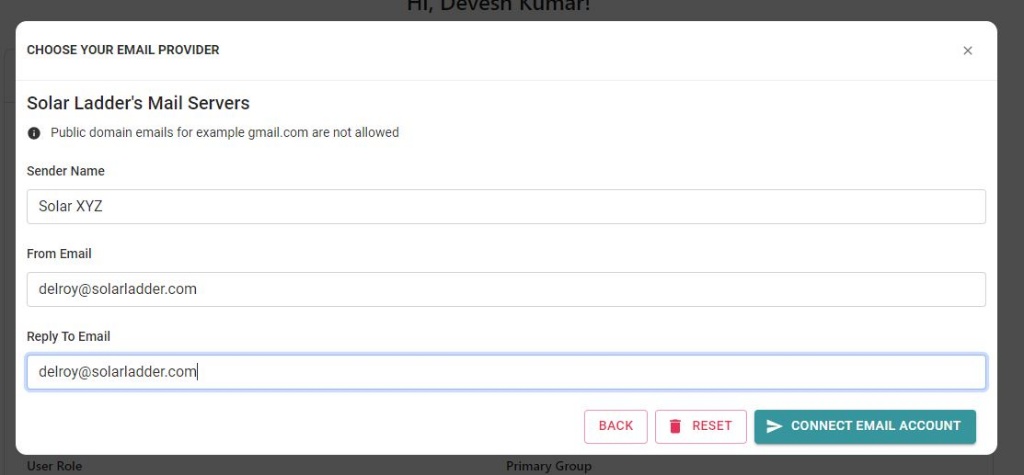
Step 4: Click on Connect Email Account and your email should be linked.
You will receive an email from Postmark (Our Mail Server) at the mentioned address, please confirm it so email-sending from your address gets activated.
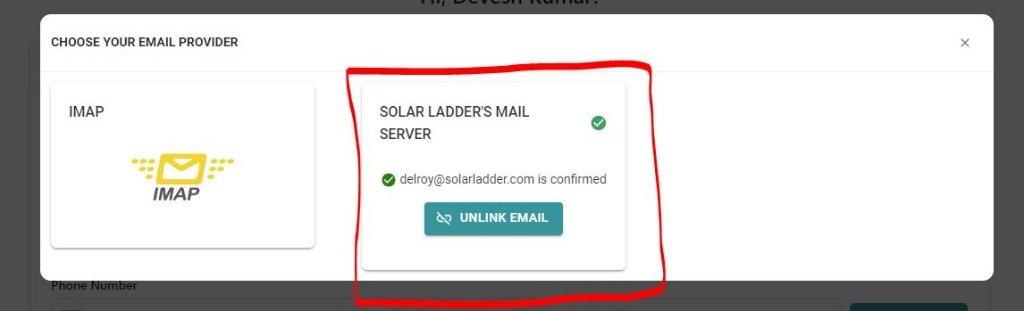
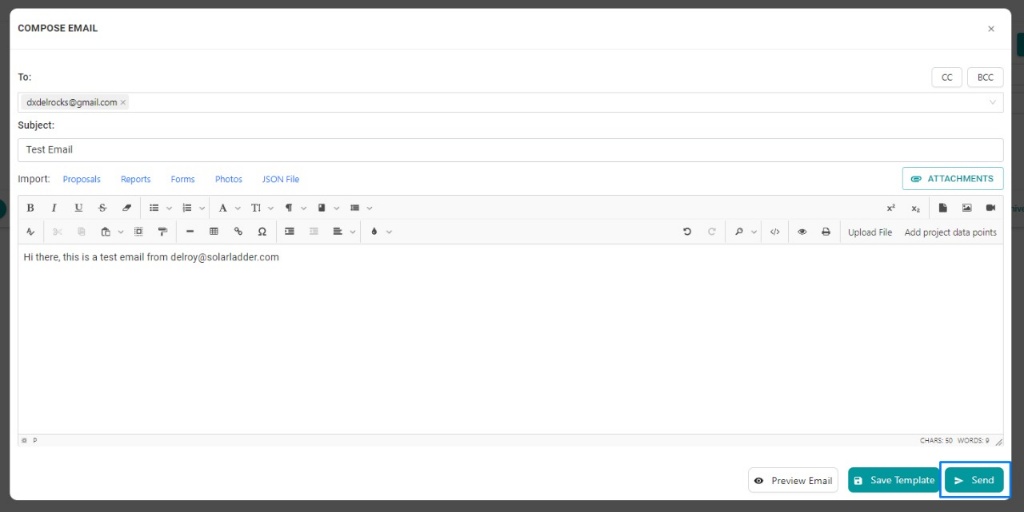
Now you can send proposal and invoice emails from your mentioned email address automatically to anyone from Solar Ladder's dashboard.
Related Articles
How to Export a saved Email Template while composing a New Email
How to Export a saved Email Template while composing a New Email Step 1: Open the concerned project Step 2: Go to Emails Tab and Click on Templates Step 3: Select the required template and Click on "Export Button" Make the necessary changes in the ...How to Create and Save an Email Template
How to Create and Save an Email Template Step 1: Open the concerned project Step 2: Go to Emails Tab and Click on Compose Compose the Email with with relevant text and Images, once done Step 3: Click on "Save as Template"Solar Ladder: Weekly Training Sessions
Attend our scheduled live training sessions to master 3D Design, Proposal Editor, and Solar Ladder software features. Learn directly from experts, ask questions in real time, and get hands-on guidance to streamline your solar sales and design ...How to Link Google Calendar with Solar Ladder
Watch Video or Follow below given steplas: Step 1: Go to Settings and Click on Profile Step 2: Turn on toggle button or Google Form Integration Step 3: Select the account you want to link Solar Ladder will be successfully linked with Google CalendarHow To Integrate IndiaMART with Solar Ladder
How To Integrate IndiaMART with Solar Ladder To Integrate IndiaMART with Solar Ladder, you will require the CRM Key from IndiaMART and your Mobile Number. To Genereate CRM Key on IndiaMART follow these steps of Integration: STEP 1: Log Into IndiaMART ...