How To Add Item in BOM
Step 1: Open the project
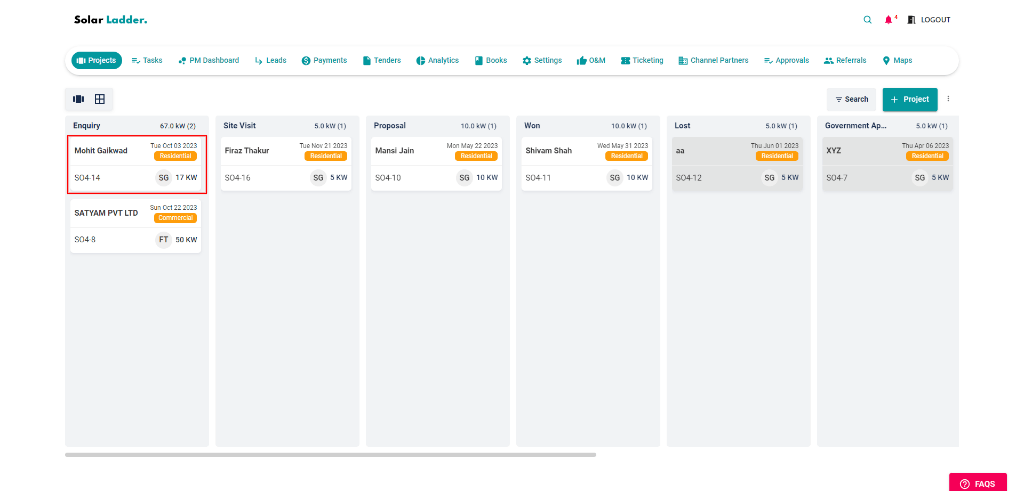
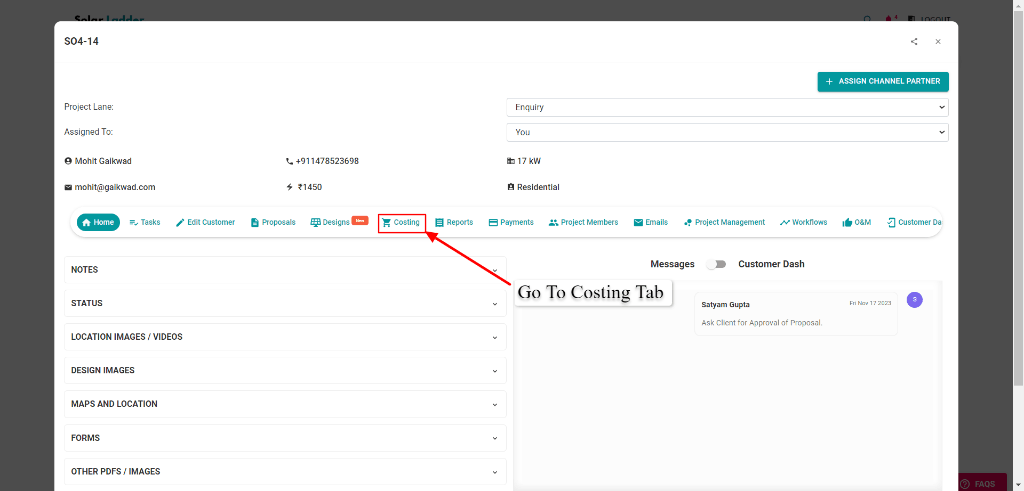
Step 2: Go To the Costing Tab
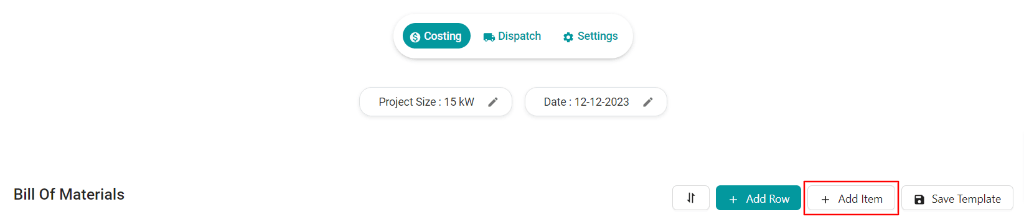
Step 3: Click on ‘ADD ITEM’ new tab will appear
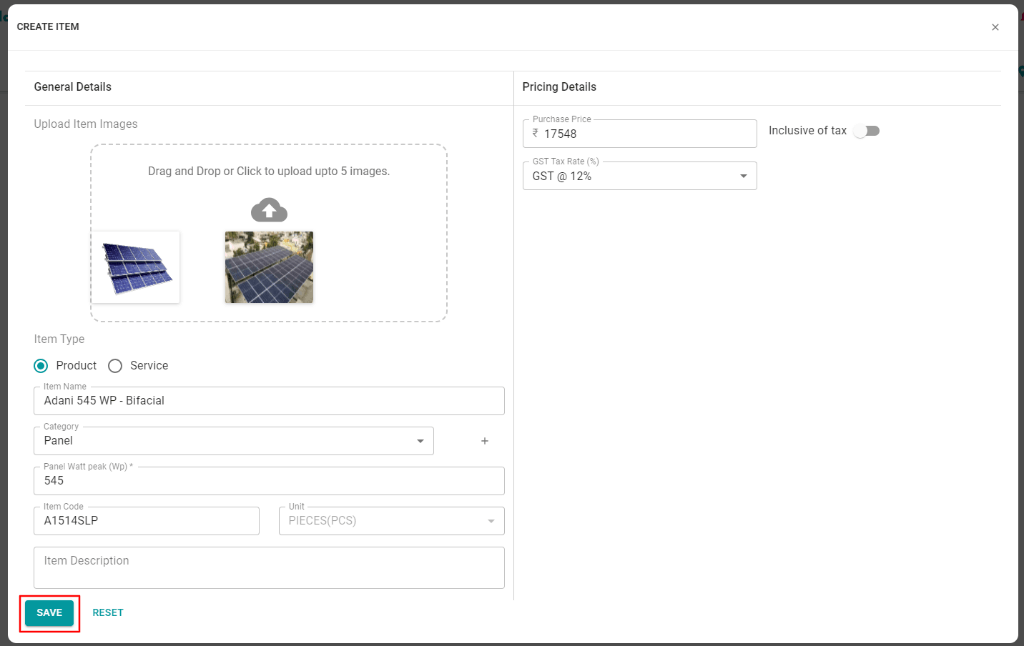
Step 4: Click on ‘CREATE ITEM’ to add all the required items

Step 5: Fill the details & Click on Save
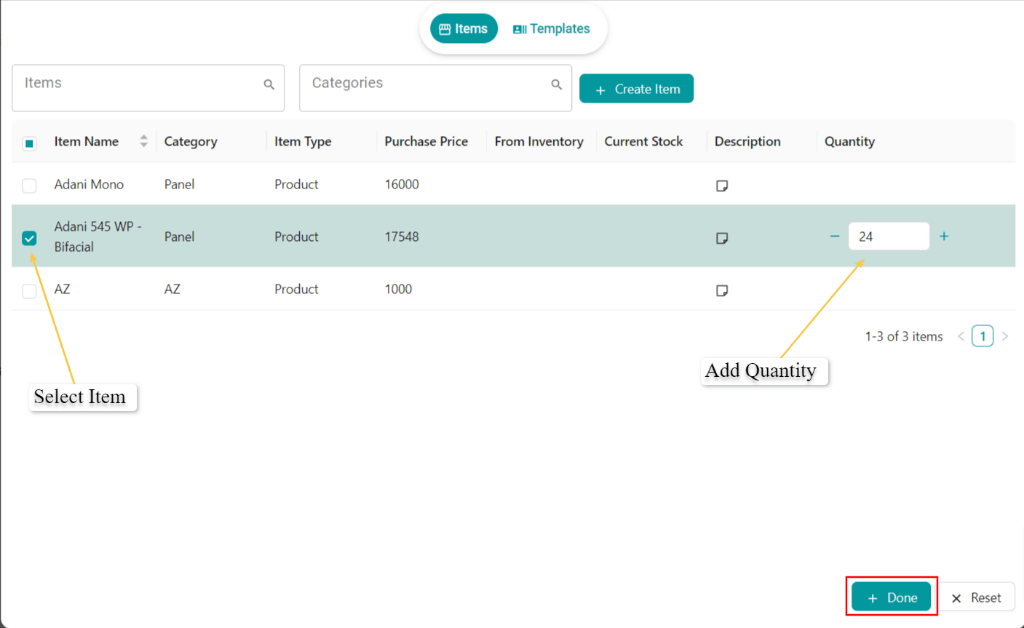
Step 6: Select the item, add quantity & Click on Done to add the item in BOM.
Related Articles
How to Save BOM as a Template
Step 1: Open the project Step 2: Go To the Costing Tab Step 3: Click on ‘SAVE TEMPLATE’ new tab will appear Step 4: Name the template & Click on 'SAVE TEMPLATE' To Import the template in the project, Step 5: Click on 'ADD ITEM' new tab will appear ...How To Use Costing (BOM)
Step 1: Open the project you want to create costing for Step 2: Go To the Costing Tab Step 3: Click on ‘Edit Tool’ & fill the details asked Select the Category Name the Itme Select UoM Enter the Quantity Enter Per Unit rate Select the GST % Add ...Introduction to BOM Costing Module
Check the video below to learn about Solar Ladder's costing module and how it can help you track project expenses and find its true profits:How to Add Freight Cost to BoM
How To Add Freight Cost to BoM Step 1: Click on the Edit Icon of the Item you want to add freight. (Please keep in mind if the item is dispatched then you can't edit. You can undo the dispatch and edit the item) Step 2: Add the Freight Cost Step 3: ...How to Export a BOM Template to a New Project
How to Export a BOM Template to a New Project Step 1: Open the concerned project Step 2: Go to Orders > Costing and Click on + Add Item Step 3: Go to "Templates" and Click on the Export Button Step 4: Click on OK Template will be Exported