How to upload Customer Proposal file
How to Upload Customer Proposal file
Step 1: Go to Settings Tab and Click on Templates
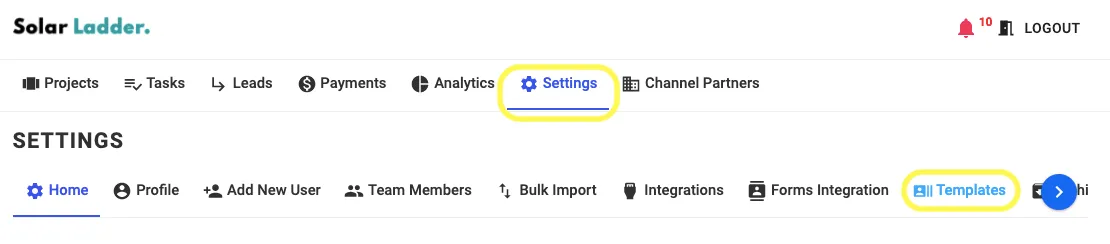
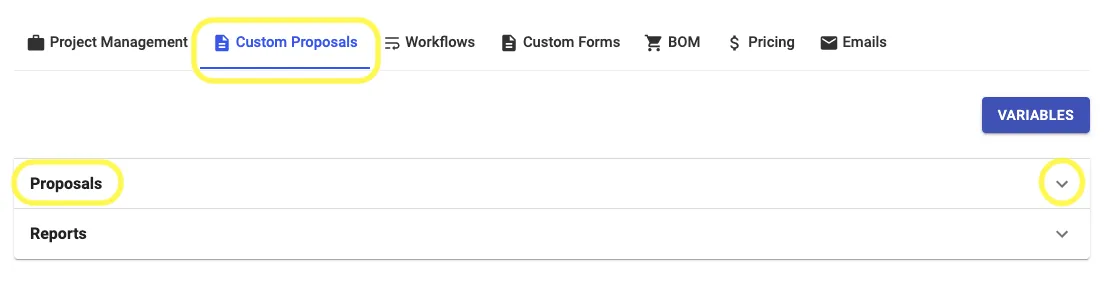
Step 2: Go to Custom Proposals Tab and Click on Proposal
Step 3: Click on " Click here to ......" and select the .json file sent by Solar Ladder Group
Related Articles
How to edit custom proposal
Step 1 : Click on the Project Step 2 : Click on Proposals Step 3 : Click on Edit Custom Proposal Icon Step 4 : Make sure to click on Update Proposal after making changes in proposalHow to download custom proposal
Step 1 : Click on the project Step 2 : Click on Proposals Step 3 : Click on View Step 4 : Click on the download proposal pdf IconHow to Create Standard Proposal
Step 1 : Click on the Project for which you want to make standard proposal Step 2 : Click on the Proposals Step 3 : Click on Create Standard Proposal Step 4 : Enter the Required Details and Click on Next Step 5 : Enter all the details Step 6 : Now ...How to use Graphs in Custom Proposals
How to use Graphs in Custom Proposals Step 1: While adding details in Custom Proposal, to Setup Graphs, Click on Setup Graph Button Step 2: Select 1 from the list of 5 Graphs available Step 3: Edit as per requirement Step 4: Change Colour Preferences ...How to create Custom Proposal
Step 1 : Click on the project for which you wants to make the proposal Step 2 : Click on proposals Step 3 : Click on create a new custom proposal Step 4 : Click on the Proposal Template Box Step 5 : Click on the template that you want to Create Step ...